

Build your QR menu
Create a branded restaurant menu, publish it at your own URL, and share one reusable QR code.
Digital QR menu maker for restaurants
OneTapMenu is a digital QR menu platform for restaurants: build, publish, and update menus in real time, then use AI tools to speed up setup and polish content.
Download free on the App Store · iOS 17.0 or later
About the app
OneTapMenu is a digital QR menu platform for restaurants: build, publish, and update menus in real time, then use AI tools to speed up setup and polish content.
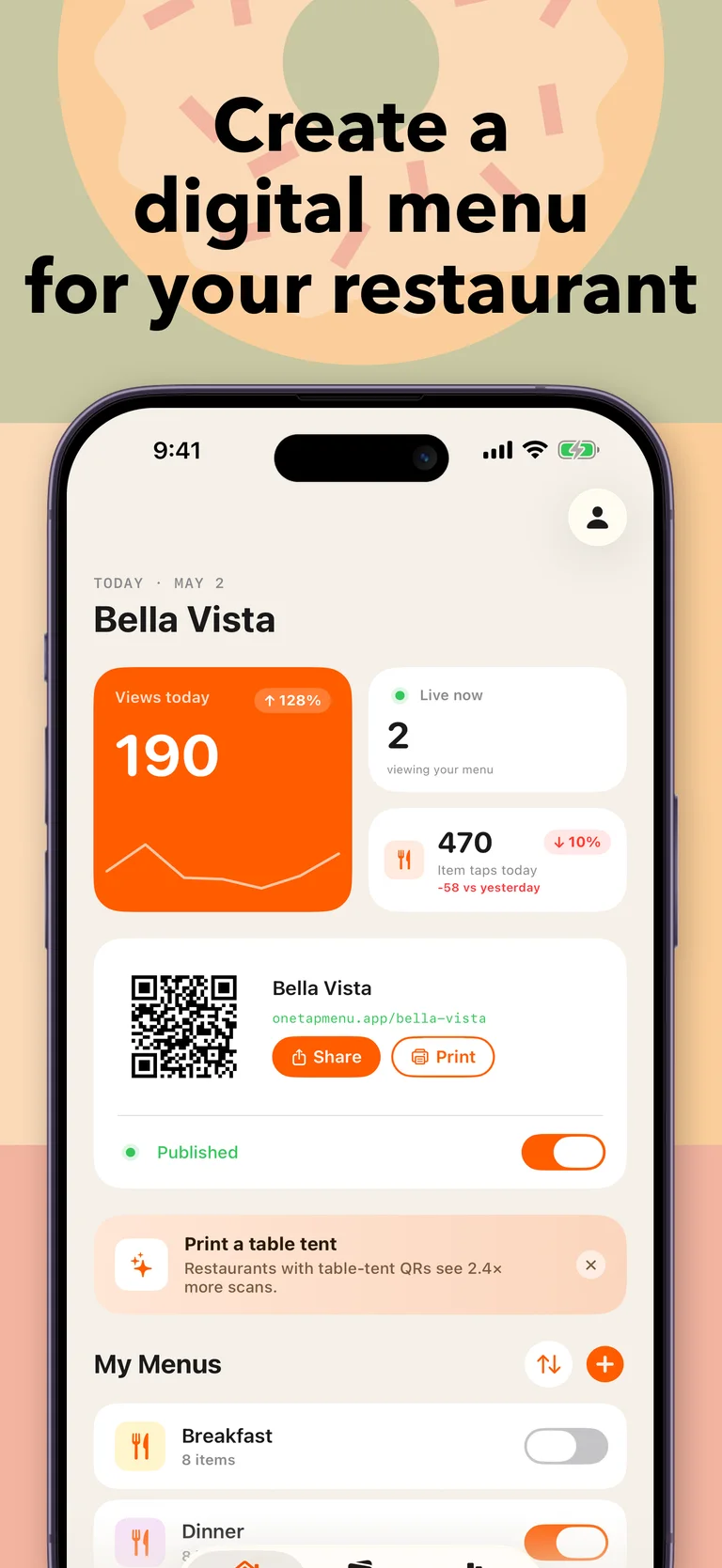
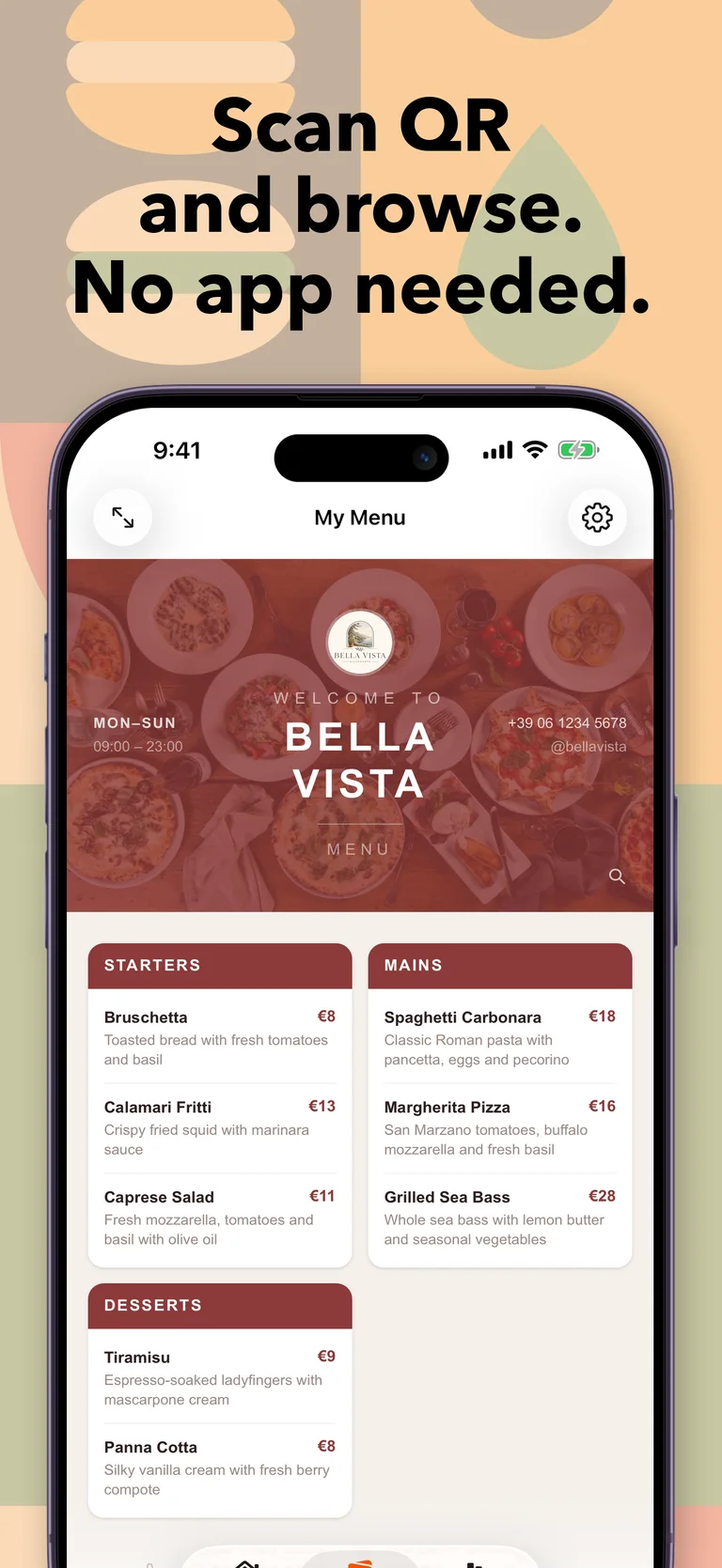
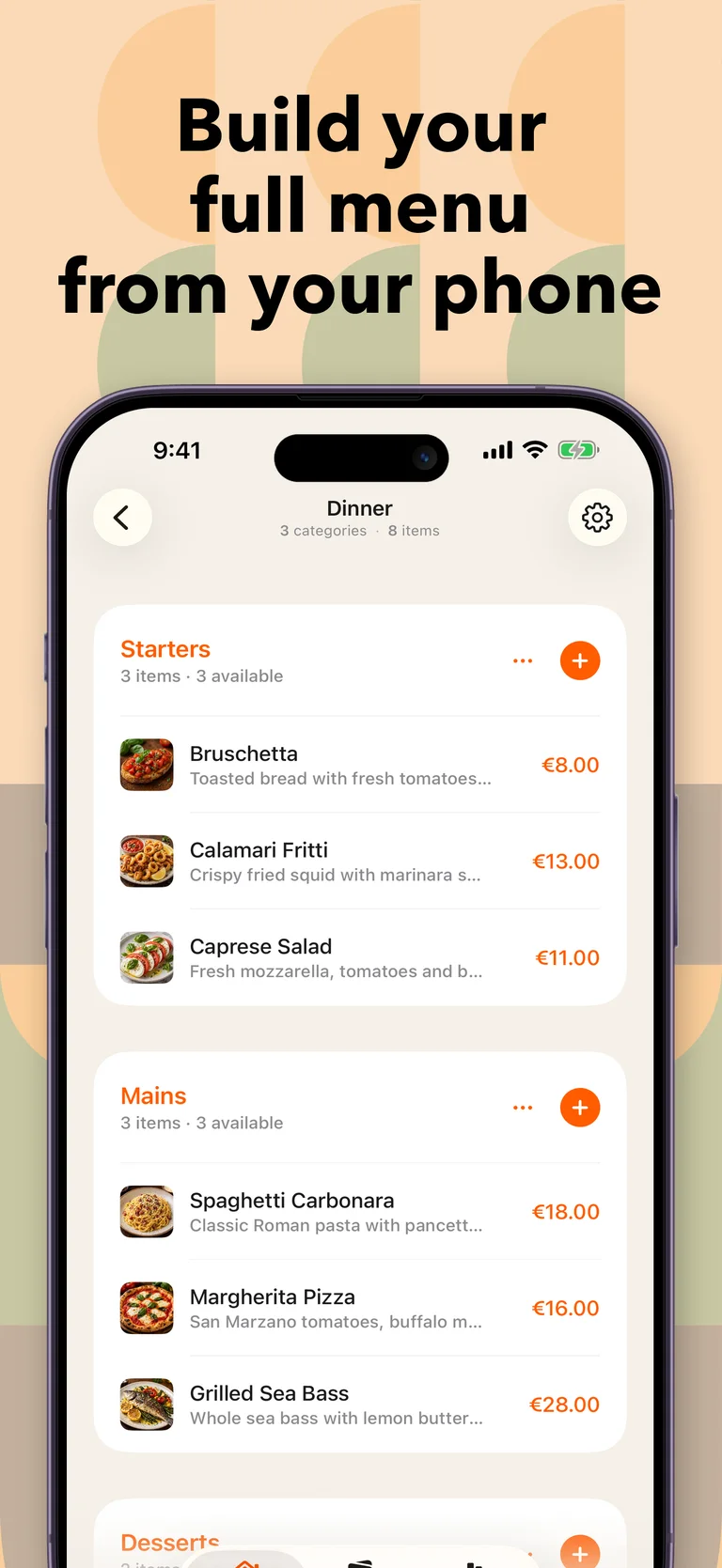
Build a polished digital menu from your iPhone, publish it at your own URL, and share it through a customizable QR code. Guests scan and browse the latest menu in their phone browser without downloading an app.
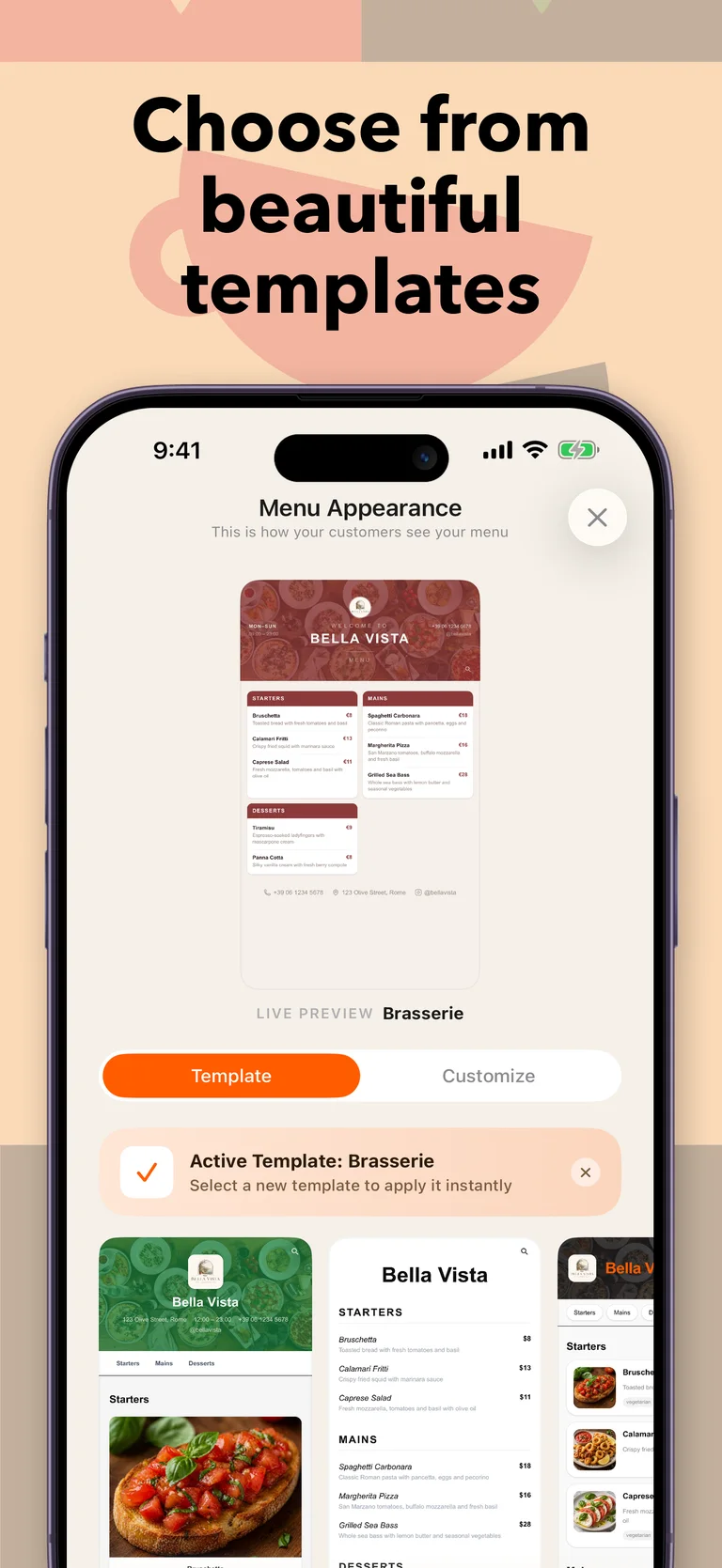
Update dishes, prices, photos, descriptions, and sold-out items in real time while keeping the same QR code. Schedule lunch, dinner, or seasonal menus, customize templates and brand colors, add allergen and dietary information, and follow live viewers and item analytics.
When you want to move faster, photograph a paper-menu page and let AI turn its visible categories, item names, descriptions, and prices into editable content. Add more pages one at a time, then use AI-Clean to review clearer writing and possible allergen or dietary-tag suggestions before applying anything.
AI can also improve lighting, color, and clarity in existing food photos while you compare each result with the original. When an item has no image, Pro users can generate a professional square menu photo from its details and review it before saving.
Create a branded restaurant menu, publish it at your own URL, and share one reusable QR code.
Change items, prices, photos, availability, and schedules without reprinting your menu.
Digitize paper menus, polish content, and improve or generate food photos with full review control.
Inside OneTapMenu
Frequently asked questions
A QR code menu is a restaurant or cafe menu guests open by scanning a code with their phone. With OneTapMenu, the same QR code always shows your latest published changes.
No. Guests scan your QR code and view the menu in their phone browser without installing anything.
Yes. Price, photo, description, availability, and menu schedule changes go live as soon as you publish them.
Yes. You can tag dishes with all 14 official EU allergens and add dietary labels such as vegan, halal, kosher, and gluten-free.
Yes. Photograph one clear page or choose it from Photos, and AI extracts its visible categories, items, descriptions, and prices into editable menu content. You can add more pages later, with matching category names merged automatically.
AI-Clean can correct spelling, grammar, and punctuation, polish existing descriptions without inventing details, and suggest possible allergens or dietary tags. You review Original and Suggested values and choose what to apply.
Yes. You can improve lighting, color, and clarity in existing photos while comparing each result with the original. Pro users can also generate a missing square menu photo from an item's details and review it before saving.
No. Imported details remain editable, AI-Clean suggestions require your approval, and photo results are shown for review. AI can make mistakes, so names, prices, allergen suggestions, and images should always be checked before publishing.
Paper-menu import, AI-Clean, and photo enhancement share five free AI requests per day; Pro users have unlimited access. Generating a new photo for an item that has none is a Pro feature.
Vordus Games
Explore every Vordus app for wordplay, wellbeing, dreams, and everyday work.

Multiplayer word game

AI dream journal

Daily affirmation app
Günlük kelime oyunu
Here are the Privacy Policy and Terms of Use for OneTapMenu.